

FierceX Mission 01: Building the Spaceport with Terraform, RHEL, and Ansible
Authored by: Brendan Lyon, Fierce Software Integration Engineer
Day 0 and Day 1 Operations
Fierce Software is a value-added technology partner that helps organizations evaluate, integrate, and get more value from enterprise technology. In this blog series, we’ll explore products and capabilities from our technology partners by comparing them to the fictional aerospace company FierceX. Instead of datacenters, cloud infrastructure, operating systems, and applications, we’ll work with spaceports, launch infrastructure, mission systems, and rockets. The FierceX mission may be fictional, but the technology concepts behind it are very real.
Many IT teams face a familiar problem: environments are built differently, systems require repetitive manual configuration, and recreating the same environment somewhere else can be difficult. As infrastructure grows, those differences can introduce configuration drift, slow deployments, and make troubleshooting harder.
FierceX has essentially the same problem—just with rockets.
We’ve received our first assignment:
Build a spaceport and prepare it to launch Tiger-1.
Today, however, there is no spaceport.
There are no launchpads, mission systems, networks, or command centers.
There is only an empty plot of land.
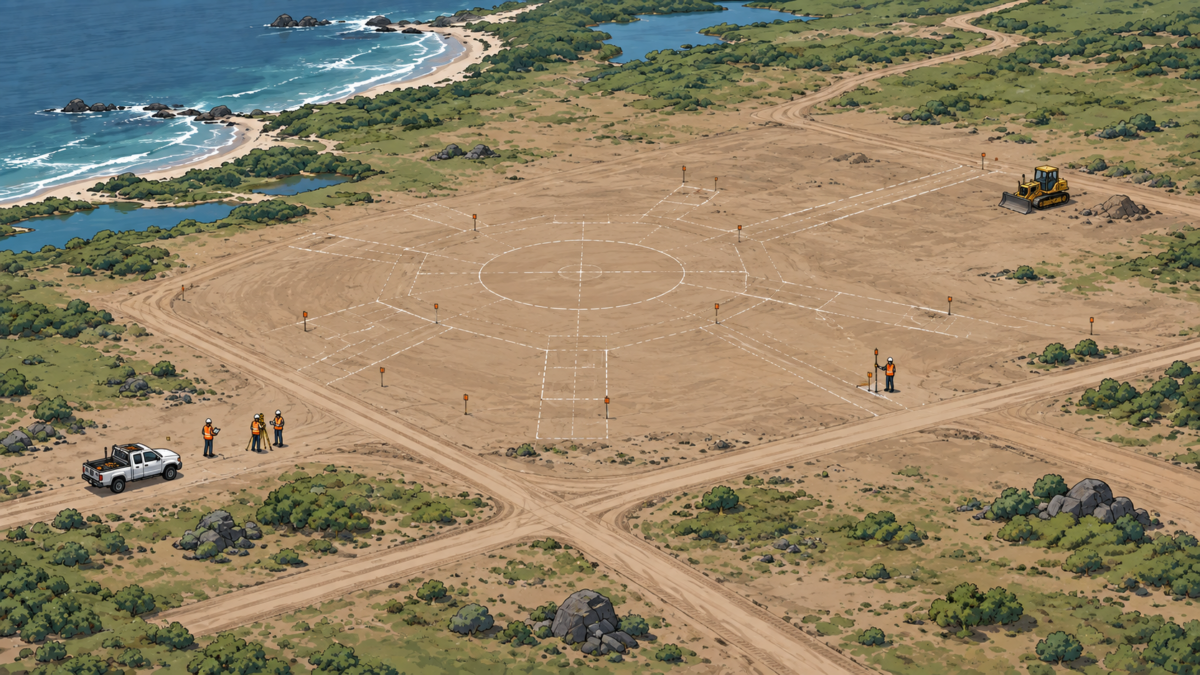
Perfect.
Mission Brief: Day 0 and Day 1
Before Tiger-1 can launch, FierceX needs to create the environment that supports it.
For this simplified example, we’ll divide the work into two phases:
Day 0 focuses on defining and provisioning the infrastructure.
Day 1 focuses on establishing and configuring the operating environment so that infrastructure can perform its intended mission.
These are useful boundaries for our FierceX story, not exclusive definitions of what each technology can do.
Our initial technology stack is intentionally small:
- Terraform — Day 0: Define the spaceport infrastructure as code, review the proposed changes, and provision the required resources.
- Red Hat Enterprise Linux — Day 1 foundation: Provide a consistent operating system across the mission systems.
- Ansible — Day 1 configuration: Use inventory and playbooks to configure those systems consistently.
- Tiger-1 — Deployable asset: Represent the application or workload that ultimately runs in the environment.
Later FierceX missions will introduce additional technologies and more sophisticated operations.
For now, we need to build a spaceport.
Step 1: Create the Blueprint with Terraform
FierceX engineers arrive at the site.
Before anyone pours concrete or installs equipment, they need to define what the spaceport should contain.
We need networks.
Compute infrastructure.
Storage.
Mission systems.
Supporting services.
And those resources have relationships. Some must exist before others can be created.
Instead of relying on a collection of handwritten construction instructions, FierceX creates a blueprint describing the environment we want.
In our analogy, that blueprint is Terraform configuration.
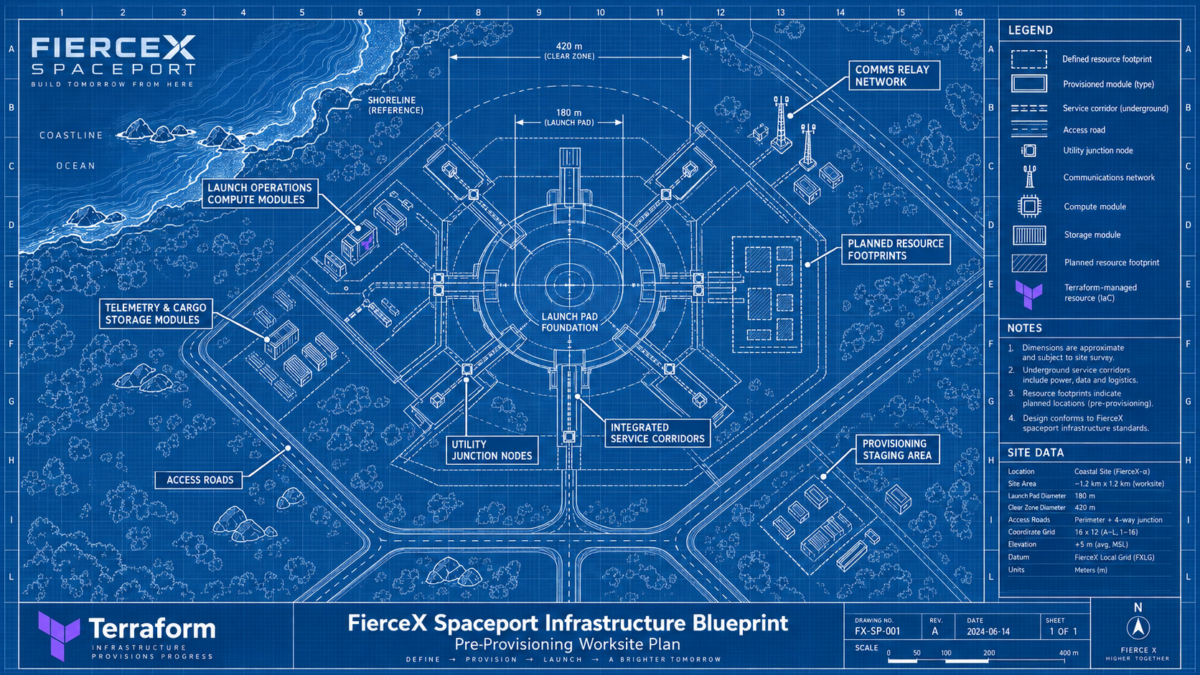
We might describe a desired environment containing a network, several compute systems, storage, and the resources needed to support the Tiger-1 mission.
The important idea is simple:
We describe the desired infrastructure in code rather than building each component manually.
Back on Earth: Terraform
Terraform is an Infrastructure as Code tool. Its configuration language allows teams to define infrastructure in human-readable files that can be reused, shared, and version-controlled. Providers allow Terraform to interact with infrastructure platforms and services, while Terraform determines dependencies between resources when creating or changing them.
For our analogy, blueprint is the visual shorthand. In Terraform terminology, we are writing a configuration describing the infrastructure we want.
Step 2: Review the Construction Plan with Terraform Plan
The FierceX engineers now have a blueprint for the spaceport.
But before construction begins, they want to understand exactly what Terraform intends to change.
Terraform compares the infrastructure described in the configuration with the environment it currently knows about and produces an execution plan.
For our new spaceport, that plan might show that network infrastructure, mission servers, storage, and supporting resources all need to be created.
The engineering team can review those proposed changes before anything is built.
This is the role of Terraform Plan.
Where the Terraform configuration describes what FierceX wants the spaceport to look like, the plan shows the changes Terraform believes are necessary to get there.
Back on Earth
Terraform Plan provides a preview of proposed infrastructure changes before those changes are applied. Terraform evaluates the desired configuration against the current environment and identifies which resources need to be created, modified, replaced, or removed. This gives administrators and engineering teams an opportunity to review the expected impact before making changes. If a team wants to review a plan and later execute that exact reviewed plan, the plan must be saved for use during the apply stage; otherwise, a later Terraform Apply operation generates a new execution plan for approval.
For FierceX, the analogy is simple:
The blueprint tells us what we want to build.
Terraform Plan gives us the construction proposal before anyone starts building.
The proposed work looks good.
FierceX approves the plan.
Now it is time to build the spaceport.
Step 3: Build the Spaceport with Terraform Apply
The FierceX engineering team has reviewed the construction plan.
The proposed changes look correct.
Now it is time to turn the blueprint into actual infrastructure.
Terraform begins creating the resources described in the approved plan. Networks come online. Mission servers are provisioned. Storage becomes available. Supporting infrastructure starts taking shape.
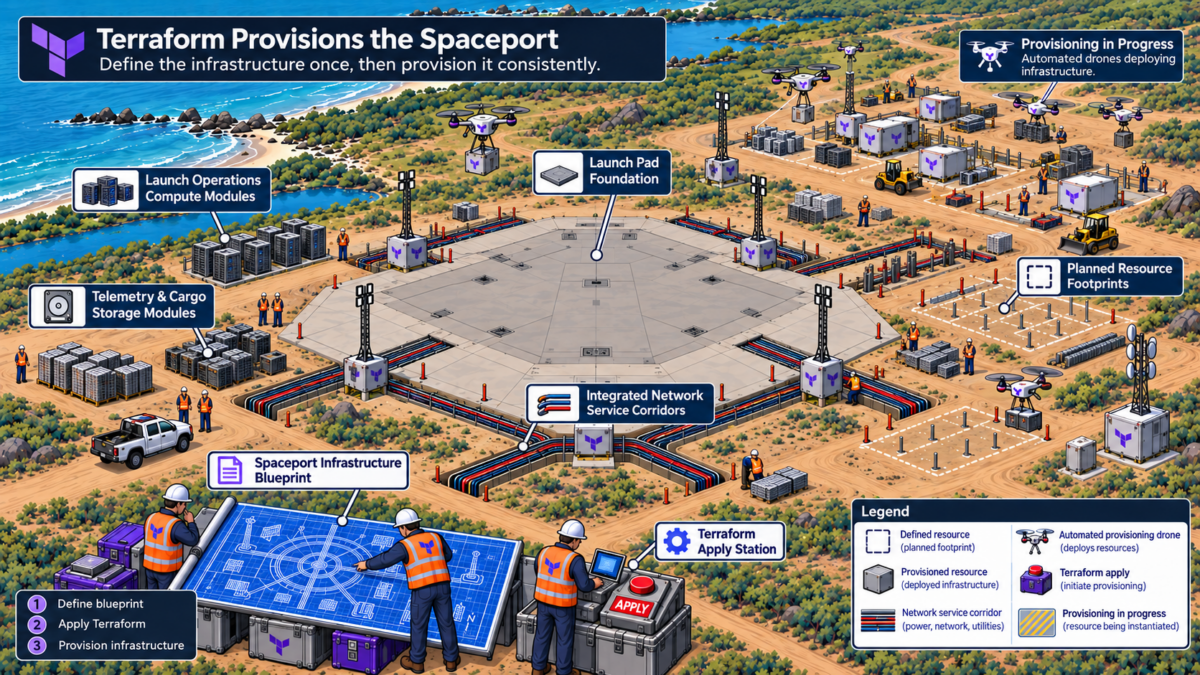
The empty plot of land is becoming a spaceport.
This is the role of Terraform Apply.
Where Terraform Plan shows what Terraform intends to change, Terraform Apply performs those changes and moves the environment toward the desired state defined in the configuration.
Back on Earth
Terraform Apply performs the infrastructure changes described by a Terraform execution plan. It communicates with the appropriate infrastructure platforms through Terraform providers and creates, updates, or removes resources as needed to bring the real environment in line with the desired configuration. If a previously reviewed plan was saved, Terraform Apply can execute that exact plan; otherwise, Terraform generates a new execution plan for approval before making changes. Terraform also updates its state information so it can continue tracking the infrastructure it manages during future operations.
For FierceX, the analogy is simple:
Terraform Plan reviews the construction proposal.
Terraform Apply sends the crews out to build it.
The infrastructure is now in place.
Next, the mission systems need a consistent operating foundation.
Step 4: Establish the Operating Foundation with RHEL
The command center now exists.
The compute resources exist.
The network is connected.
Next, FierceX needs a consistent operating environment across the systems supporting the mission.
For our example, that foundation is Red Hat Enterprise Linux, or RHEL.
Think of RHEL as the common operating platform used throughout the digital spaceport.
The telemetry system may perform a different job from the mission planning system, but both can operate on a standardized enterprise Linux foundation.
That consistency becomes increasingly valuable as environments grow.
Back on Earth: Red Hat Enterprise Linux
Red Hat Enterprise Linux provides a consistent enterprise operating system foundation across physical, virtual, private cloud, public cloud, and edge environments. Red Hat positions that consistency as a way to reduce infrastructure complexity while providing a stable platform for applications and critical workloads.
For FierceX, the infrastructure now has an operating platform.
Next, we need to tell all those systems what jobs they should perform.
Step 5: Commission the Spaceport with Ansible Playbooks
A spaceport contains a lot of systems.
FierceX could configure each one manually.
An engineer could log into Mission Server 01, install software, create accounts, modify configuration files, enable services, and then repeat the process on Mission Servers 02 and 03.
That works.
Until someone misses a step.
Instead, FierceX creates an automation playbook.
First, we identify the systems we want to manage in an inventory.
Then we create playbooks defining what should happen to those systems.
Finally, we run the playbooks.
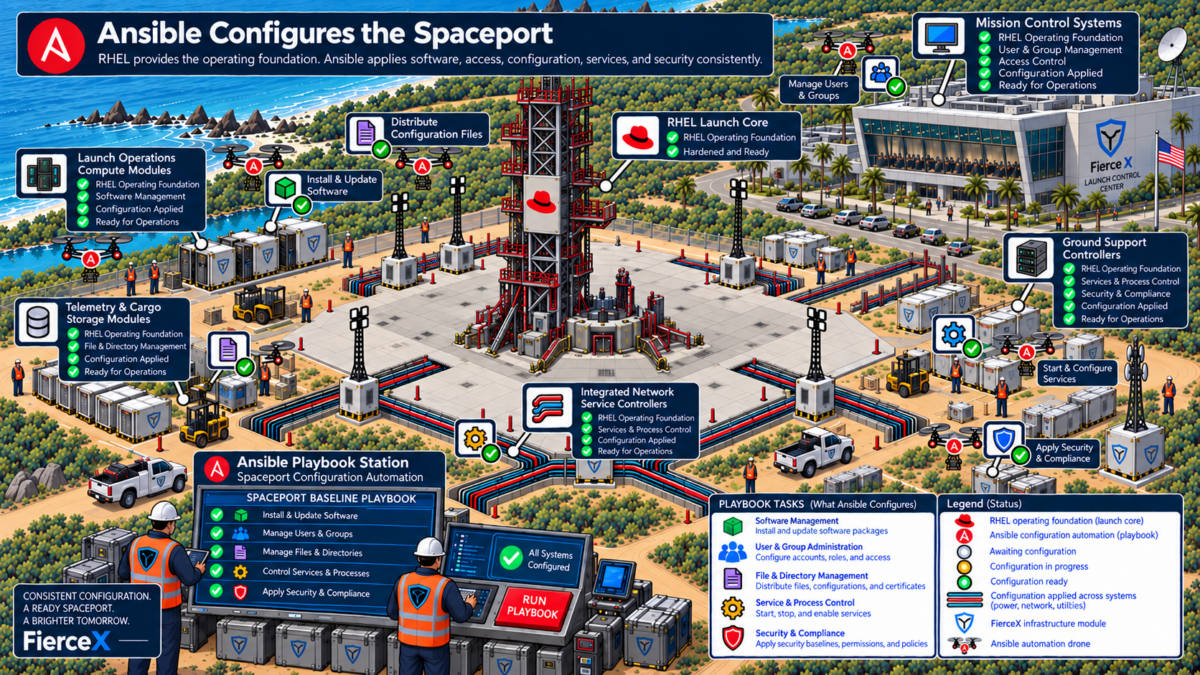
A playbook might instruct FierceX systems to:
- create required user accounts
- install mission software packages
- copy configuration files
- configure security settings
- enable and start required services
Instead of relying on someone remembering how Server 01 was configured, the procedure is encoded and repeatable.
Back on Earth: Ansible
Ansible playbooks describe automation in YAML. Playbooks contain plays, which target managed systems and contain ordered tasks. Those tasks use Ansible modules to perform operations such as package management, user administration, service configuration, networking, and other system changes.
Inventory defines the managed hosts or groups of hosts that the automation targets.
For our FierceX example:
Terraform provisions the infrastructure.
RHEL provides the common operating foundation.
Ansible configures the systems for their mission.
A Concrete Example
Let's translate the FierceX story into a small IT implementation. Illustrative example — not a description of a specific Fierce production deployment: Suppose a program needs three RHEL virtual machines to support an internal application. Terraform configuration could define and provision:
- 3 virtual machines
- the required network
- attached storage
- supporting infrastructure resources
- mission-server-01
- mission-server-02
- mission-server-03
- create the required administrative and application users
- install required software packages
- deploy configuration files
- configure and enable services
- verify that those services are running
Step 6: Roll Out Tiger-1
The infrastructure is ready.
The operating environment is standardized.
The mission systems are configured.
The hangar doors open.
Inside is Tiger-1.
Tiger-1 is different from everything we’ve discussed so far.
The spaceport is the environment.
Tiger-1 is the asset we actually want to deploy.
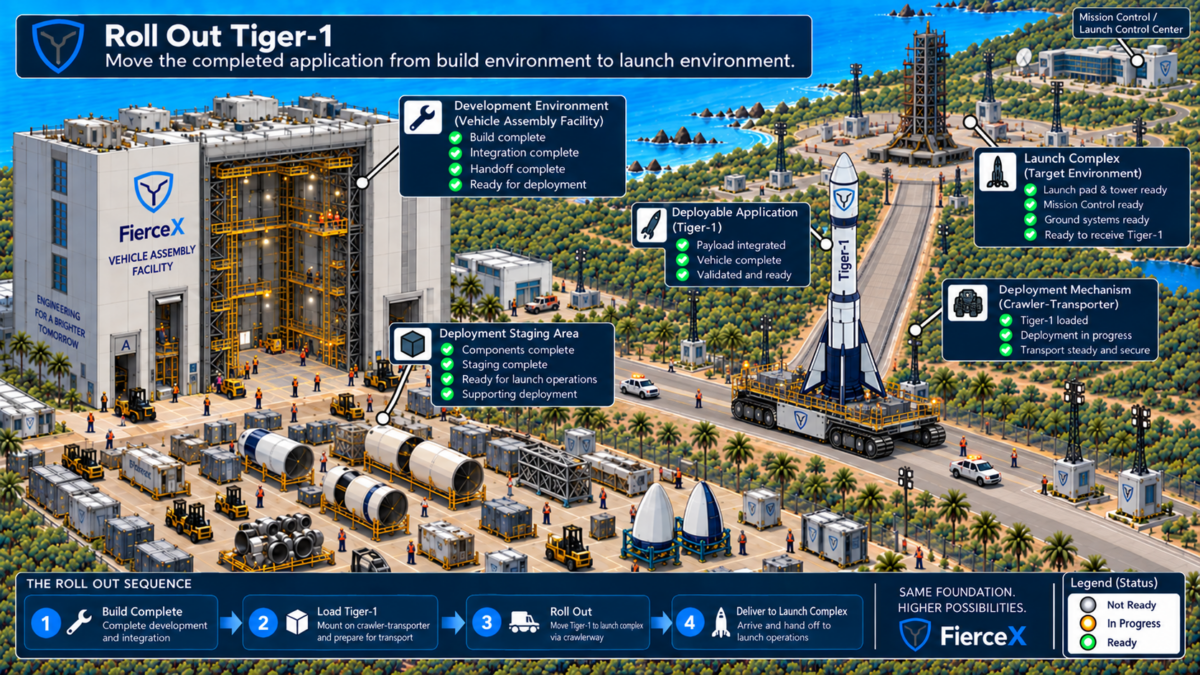
In an IT environment, Tiger-1 might represent an application, service, or other workload.
Terraform created our infrastructure so Tiger-1 has somewhere to operate.
Tiger-1 rolls toward the launchpad.
Step 7: Launch Tiger-1
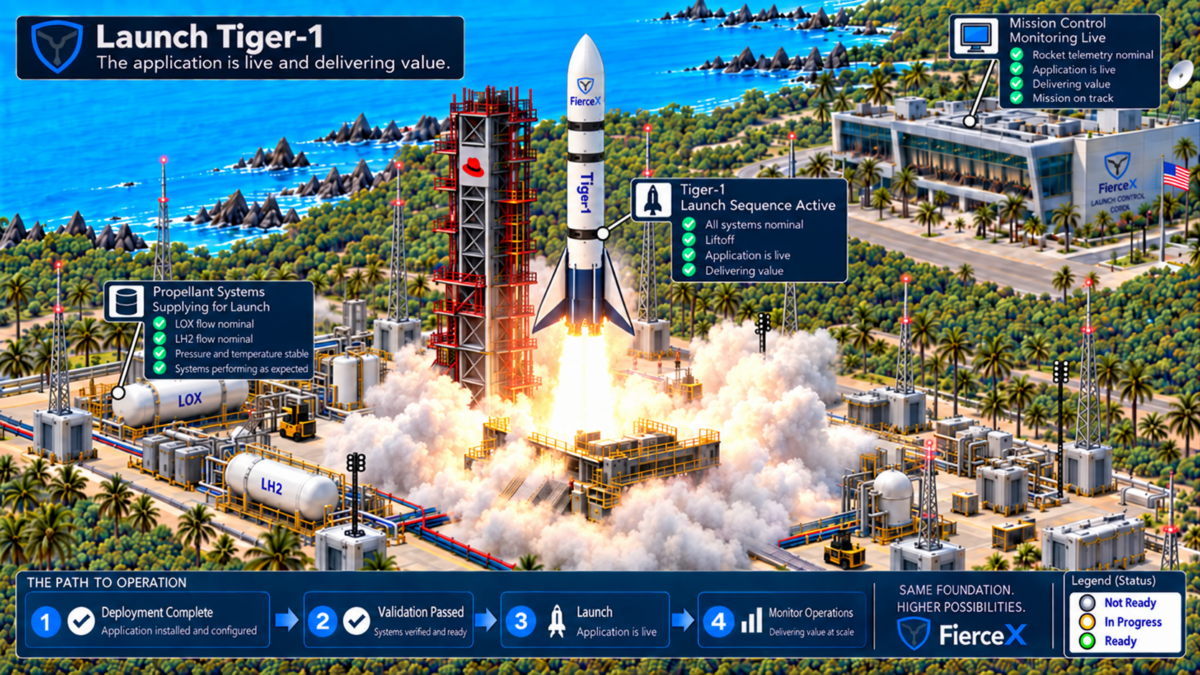
Mission Control begins the countdown.
3… 2… 1…
Launch.
Tiger-1 clears the tower and climbs away from the FierceX spaceport.
For our fictional aerospace team, the launch represents a successful mission deployment.
For our technology analogy, it represents the application running in the environment we created and configured to support it.
Our first FierceX mission is a success.
But Mission Control already has another question:
What happens when Tiger-1.1 is ready?
Then Tiger-1.2?
And then another application?
Manually coordinating every build, test, security check, approval, and deployment will eventually become difficult to repeat consistently.
FierceX has learned how to launch one rocket.
The next challenge is creating a repeatable system for launching many of them.
From Spaceport to Data Center
The fictional spaceport gives us a simple way to visualize a very real infrastructure challenge.
Organizations often need to create environments repeatedly, standardize the platforms running within them, and configure systems consistently without relying on a long series of manual steps.
Infrastructure as Code and automation help turn those procedures into repeatable definitions and workflows.
In our simplified FierceX model:
Terraform defines and provisions infrastructure.
RHEL provides a consistent enterprise operating foundation.
Ansible automates system configuration.
Tiger-1 represents the workload that infrastructure ultimately exists to support.
That is our starting point.
It is not the end state.
Put the Workflow to Work
If your organization is working through infrastructure provisioning, configuration consistency, or broader DevSecOps automation challenges, the Fierce Innovation Lab provides a hands-on environment for exploring technologies and workflows without experimenting directly in production.
Teams can use the Lab to evaluate approaches, work through infrastructure automation use cases, and better understand how technologies fit together before making larger implementation decisions.
And if you’re here for the FierceX story, our mission is just getting started.
Next: FierceX Mission 02 — Building the Tiger-1 Assembly Line with CI/CD.
The rocket launches.
Now we need an assembly line.